当前桌面环境
nixvim 安装及美化 @
由于nvchad发现很多问题,会导致崩溃,于是我将其换成了nixvim,通过hm进行模块配置
# input引入源
inputs = {
    nixvim = {
      url = "github:nix-community/nixvim";
      inputs.nixpkgs.follows = "nixpkgs";
    };
};

# 这里添加nixvim模块
outputs = {
    self, nixpkgs, home-manager, nixvim, ...
}@inputs:

# 将其由hm管理
home-manager.sharedModules = [
    inputs.nixvim.homeModules.nixvim
];
nixvim 的具体配置如下, 由于treesitter最新版本没进unstable,因此暂时先不装了。
{ pkgs, lib, ... }:

{
  programs.nixvim = {
    enable = true;

    defaultEditor = true;

    viAlias = true;
    vimAlias = true;

    # Leader key
    leader = " ";

    # Options
    opt = {
      number = lib.mkDefault true;
      relativenumber = lib.mkDefault true;
      mouse = "a";
      clipboard = "unnamedplus";
      tabstop = 4;
      shiftwidth = 4;
      expandTab = true;
    };

     # Keymaps,可以自己配置键位
    keymaps = []

    # Plugins
    plugins = {
      web-devicons.enable = true;
      tokyonight = {
        enable = true;
        style = "night";
      };
      startupify.enable = true;
      neo-tree.enable = true;
      vim-surround.enable = true;
      nvim-cmp.enable = true;
      gitsigns.enable = true;
      telescope.enable = true;
      lsp.enable = true;
    };
  };
}
niri 美化 @
niri的配置文件我也扔给flake去托管了,比如新建一个niri.nix,然后再在home.nix里import。
# 主要作用是托管niri的配置文件,每次更新覆盖掉原有的。

{ config, pkgs, ... }: {
  xdg.configFile."niri/config.kdl" = {
    source = ./niri-config.kdl;
    force = true;
  };
}
语言环境及时区的配置则单独写了一个i18n.nix去管理
{
  time.timeZone = "Asia/Shanghai";

  i18n = {
    defaultLocale = "zh_CN.UTF-8";
    extraLocaleSettings = {
      LC_ADDRESS = "zh_CN.UTF-8";
      LC_IDENTIFICATION = "zh_CN.UTF-8";
      LC_MEASUREMENT = "zh_CN.UTF-8";
      LC_MONETARY = "zh_CN.UTF-8";
      LC_NAME = "zh_CN.UTF-8";
      LC_NUMERIC = "zh_CN.UTF-8";
      LC_PAPER = "zh_CN.UTF-8";
      LC_TELEPHONE = "zh_CN.UTF-8";
      LC_TIME = "zh_CN.UTF-8";
    };
    supportedLocales = [
      "zh_CN.UTF-8/UTF-8"
      "en_US.UTF-8/UTF-8"
    ];
  };

  fonts = {
    enableDefaultPackages = false;
    packages = with pkgs; [
      nerd-fonts.fira-code
      nerd-fonts.jetbrains-mono
      noto-fonts
      noto-fonts-cjk-sans
      noto-fonts-cjk-serif
      noto-fonts-color-emoji
    ];
    fontconfig = {
      enable = true;
      defaultFonts = {
        monospace = [
          "JetBrainsMono Nerd Font"
        ];
        serif = [ "Noto Serif CJK SC" ];
        sansSerif = [ "Noto Sans CJK SC" ];
        emoji = [ "Noto Color Emoji" ];
      };
    };
  };
}
noctalia 基础美化 @
noctalia的美化和基础配置主要也是通过hm来实现的,配置了语言环境、ui字体、标签栏位置、壁纸等,并且将壁纸图片也托管在flake里。
programs.noctalia-shell = {
    enable = true;
    systemd.enable = true;
    settings = {
      general = {
        language = "zh-CN";
      };
      ui = {
        fontDefault = "Noto Sans CJK SC";
        fontFixed = "JetBrainsMono Nerd Font";
        fontDefaultScale = 1;
        fontFixedScale = 1;
      };
      bar = {
        position = "bottom";
        position = "top";
        density = "comfortable";
        fontScale = 1.1;
        marginVertical = 8;
        marginHorizontal = 8;
        contentPadding = 4;
      };
      wallpaper = {
        enabled = true;
        useSolidColor = false;
      };
    };
  };

  home.file.".config/noctalia/wallpapers/wallpaper.png".source = ./wallpapers/wallpaper.png;
  home.file.".cache/noctalia/wallpapers.json".text = builtins.toJSON {
    defaultWallpaper = "${config.home.homeDirectory}/.config/noctalia/wallpapers/wallpaper.png";
    wallpapers = { };
  };
主要还是得换壁纸,换了壁纸,再把菜单栏移动到最上面,整体就好看多了。
kitty 安装及美化 @
kitty是一个目前挺主流的终端,简单配置下就很好看,首先在home.packages里添加kitty。然后新建一个kitty.nix用于管理kitty配置,然后在你的home.nix里import它。
{ config, pkgs, ... }:

{
  programs.kitty = {
    enable = true;

    font = {
      name = "FiraCode Nerd Font Mono";
      size = 16;
    };

    settings = {
        dynamic_background_opacity = "yes";     # 开启动态透明度,一定要开,否则焦点所在窗口透明度无效
        hide_window_decorations = "yes";        # 隐藏窗口标签栏
        backgroud_opacity = "0.92";             # 背景透明度
        tab_bar_edge = "bottom";                # 标签栏位置
        tab_bar_min_tabs = "1";                 # 最小标签数量
        confirm_os_window_close = "0";          # 确认关闭窗口
        tab_powerline_style = "slanted";        # 标签栏样式
    };
    themeFile = "VSCode_Dark";
  };
}
有个问题折腾了我半天,就是在niri下kitty终端配置透明度是没效果的,必须在niri的配置文件niri-config.kdl里添加
window-rule {
    match app-id=r#"^kitty$"#
    opacity 0.92
    geometry-corner-radius 12               # kitty的终端圆角
    clip-to-geometry true
    draw-border-with-background false       # 移除背景框
}
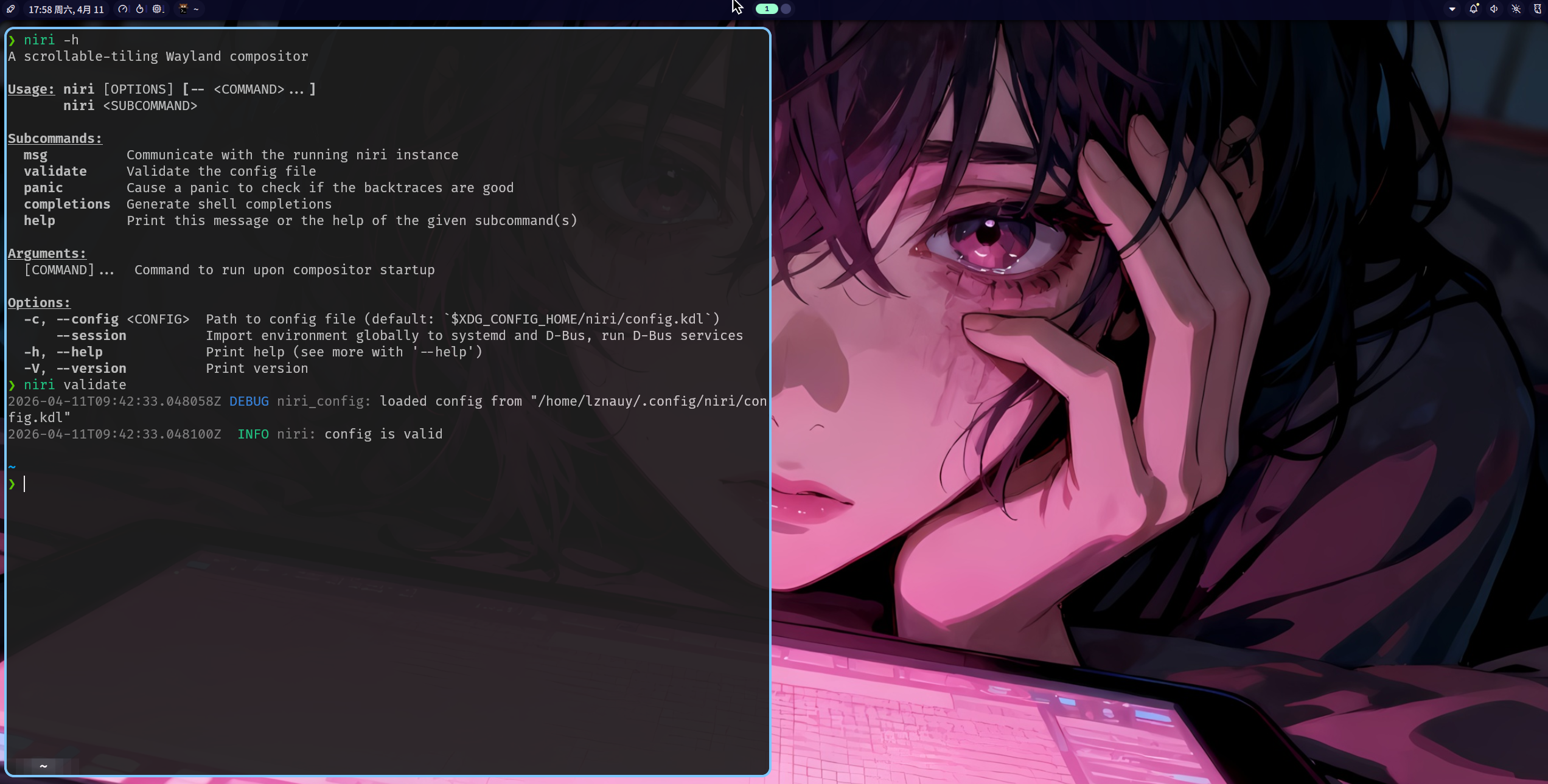
现在更新系统后就有截图显示的那样比较好看的终端了。
fcitx安装 @
输入法主要用fcitx框架,配合pinyin输入法和一个皮肤,简单实现中文输入。
{
  i18n.inputMethod = {
    enable = true;
    type = "fcitx5";
    fcitx5 = {
      addons = with pkgs; [
        fcitx5-mellow-themes
        qt6Packages.fcitx5-chinese-addons
      ];
      waylandFrontend = true;
      settings = {
        globalOptions = {
          "Hotkey/TriggerKeys" = {
            "0" = "Super+space";
          };
        };
        inputMethod = {
          GroupOrder."0" = "Default";
          "Groups/0" = {
            Name = "Default";
            "Default Layout" = "us";
            DefaultIM = "pinyin";
          };
          "Groups/0/Items/0".Name = "keyboard-us";
          "Groups/0/Items/1".Name = "pinyin";
        };
        addons = {
          classicui.globalSection = {
            "Vertical Candidate List" = "False";
            WheelForPaging = "True";
            Font = ''"Sans 10"'';
            MenuFont = ''"Sans 10"'';
            TrayFont = ''"Sans Bold 10"'';
            TrayOutlineColor = "#000000";
            TrayTextColor = "#ffffff";
            PreferTextIcon = "False";
            ShowLayoutNameInIcon = "True";
            UseInputMethodLanguageToDisplayText = "True";
            Theme = "kwinblur-mellow-sakura";
            DarkTheme = "kwinblur-mellow-sakura-dark";
            UseDarkTheme = "True";
            UseAccentColor = "True";
            PerScreenDPI = "False";
            ForceWaylandDPI = 0;
            EnableFractionalScale = "True";
          };
          pinyin.globalSection = {
            PageSize = 9;
            CloudPinyinEnabled = false;
          };
          chttrans.globalSection = {
            Engine = "OpenCC";
            EnabledIM = "";
            OpenCCS2TProfile = "default";
            OpenCCT2SProfile = "default";
          };
          punctuation.globalSection = {
            HalfWidthPuncAfterLetterOrNumber = "True";
            TypePairedPunctuationsTogether = "False";
            Enabled = "True";
          };
        };
      };
    };
  };
}
总结 @
这部分配置主要都是软件层面的配置,很简单,目前来说我的桌面美化已经有了一定的效果,但还缺一些组件,比如启动器、文件管理器等等,还有桌面缩略后面的背景也没有美化。
这部分后续再折腾吧~